Do the job.
Not the paperwork.
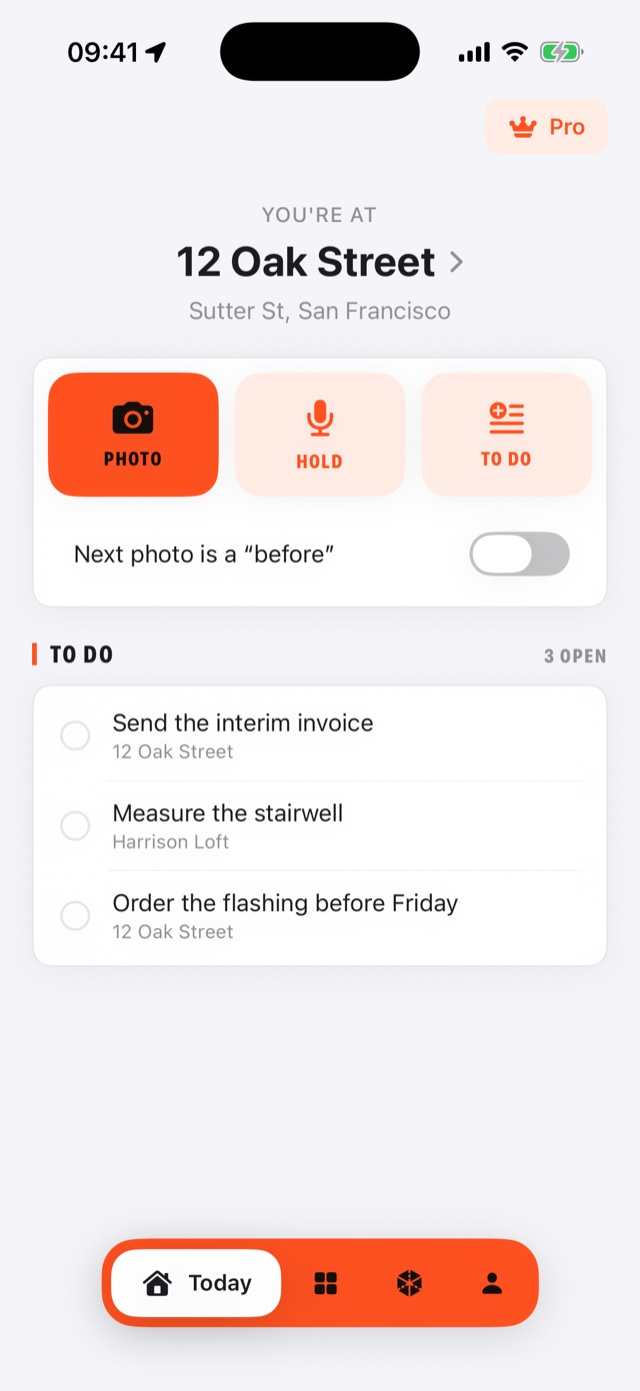
Take the photo. BuildShot writes the date and the place on it, files it under the job you are standing on, and turns the day into a report with your name at the top.
If you can take a photo, you can use it
So nobody argues about when
The date on a photo normally comes from the phone's own clock, and anyone can change that in Settings. BuildShot asks the internet instead. A photo it managed to check carries VERIFIED TIME printed on the picture, and the report says what that means in plain words.
No signal is fine. A check from this morning still dates the afternoon, and a photo taken with no bars at all becomes verified once they come back. There is one case it cannot fix: no signal from before the photo until after the phone is restarted. That photo says device time, and the report says so too. It never pretends.
So your evening is your own
There is nothing to sort out when you get home. Each photo went under the right job the moment you took it. If it picks the wrong one, a Change banner sits there for five seconds — tap it, or ignore it.
It files to the nearest job you have saved, within 150 metres. If there is nothing near you, it asks instead of guessing. The place written on the photo is whatever the phone's GPS says. The time is checked against an outside source. The place is not, and never claims to be.
So the client sees a company
Your logo, your trade, your phone number and your email at the top of the report. Twelve layouts to choose from. It is made on the phone in about a second, you read the whole thing first, and then you send it the way you send anything else — email, text, WhatsApp.
Nine of the twelve carry your details. Eight put them on the first page; one repeats them on every page. Three are bare on purpose — a page of small photos does not need a letterhead.
So the difference is obvious
Tap the arrow on an old photo. The camera opens with that photo faint on the screen, so you can stand where you stood. A light goes red, then amber, then green as the two line up. Take the shot, and the pair sits side by side in the report.
So you never type with gloves on
Hold the button and say what you found. It gets written down on the phone itself and filed under the job, the same as a photo. If it cannot make out the words, you still have the recording to play back.
No bullshit
There is no cloud. Your photos are on your phone and nowhere else. That is why it works in a basement with no signal — and it is also why, if the phone ends up in the skip and you have no iPhone backup, they are gone. Leave the backup switched on, and send yourself the report on a job that matters.
It is one phone. No second device, no sharing a job with a mate, no copy at the office. That is not a crew feature we are keeping back — it is not there.
Four things go out to the internet, and nothing else. The date, asked of three public websites, with nothing about you or the job attached. The street name, which means the coordinates go to Apple to be turned into an address. Whether you have paid. And a crash report if the app falls over, which you can switch off in the app. The photos themselves never leave the phone, and nothing records which screens you opened.
No measuring. No room scanning. And no account, no password, no crew list, no per-seat bill. English and Spanish — it follows whichever your phone is set to.
Nothing to set up. Put your logo in once and go to work.